Gaming on Tablets: What Players Should Know
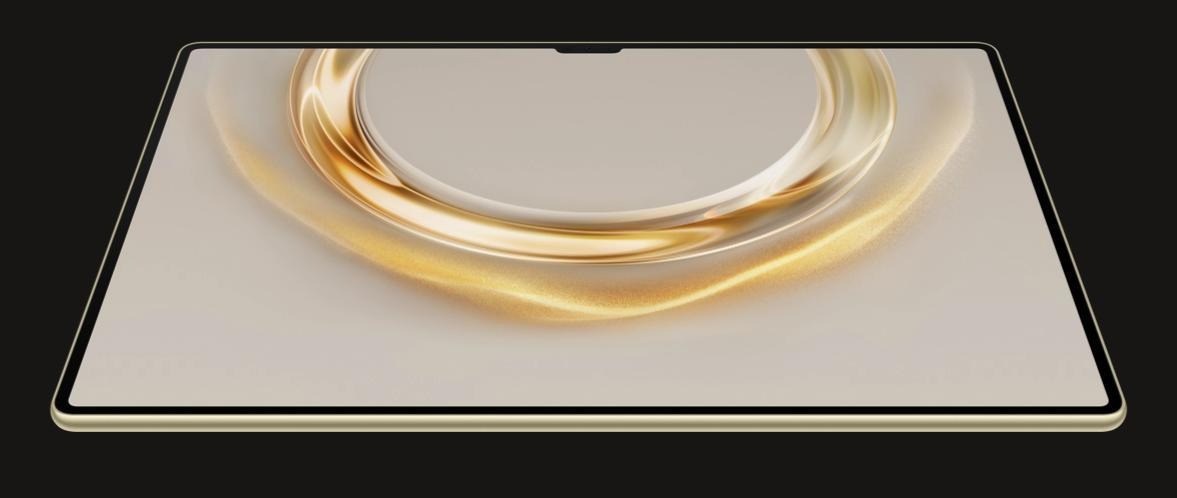
Tablet gaming has swiftly gained popularity as a portable method to enjoy console-quality experiences. Tablets provide the ideal balance of performance and mobility, with powerful chipsets, sensitive touchscreens, and access to hundreds of games. However, not all tablets are designed for gaming. Whether you’re playing fast-paced shooters or deep RPGs, you’ll need a device that doesn’t stutter or overheat. Understanding the fundamental characteristics that distinguish a great gaming tablet allows you to prevent bad decisions and improve your entire experience. This article breaks down the necessary specifications, optimization suggestions, and accessories to make your tablet gaming experiences seamless, enjoyable, and frustration-free.
What Makes a Good Gaming Tablet?
Key Hardware Specs That Matter for Gaming
Performance begins with the CPU. A high-end chipset guarantees that games load quickly and perform smoothly. RAM also matters—8GB or more enables multitasking and reduces latency. Storage impacts both speed and capacity; strive for at least 128GB, especially for graphically intensive games. GPU strength impacts how effectively the device processes graphics; powerful GPUs minimize frame drops and stutters. Finally, high refresh rates (90Hz or 120Hz) make movement look more fluid and responsive. These hardware specifications work together to provide a flawless experience, whether you’re racing in Asphalt or warring in Fortnite. Always verify these specifications before making a purchase to avoid irritating performance issues.
Display Quality and Screen Size Explained
A fantastic gaming display strikes a balance between size, resolution, and refresh rate. Larger screens, such as 11 to 13 inches, provide additional space for controls and engaging pictures without being overly large. For an optimal gaming experience, aim for a Full HD (1920×1080) resolution. Anything below will result in pixelated graphics. OLED or high-quality LCD displays produce brilliant colors with rich contrast, making them perfect for titles with a lot of detail. A refresh rate of 120Hz improves responsiveness and decreases motion blur, particularly in fast-action games. Touch response time is also important—lower latency leads to faster reactions. Whether you’re tapping through puzzles or shooting in shooters, screen quality has a significant impact on comfort and gaming precision.
Battery Life and Cooling Systems in Gaming Tablets
Long gameplay periods necessitate robust battery performance. Look for tablets with at least 8,000mAh capacity, which can last more than six hours of vigorous gaming. When you need a rapid recharge, fast charging capability comes in handy. However, high performance produces heat, and without effective thermal management, your tablet may throttle or slow down. Devices with vapor chamber cooling or graphite heat sinks assist in dispersing heat effectively, resulting in steady performance. Passive cooling in metal buildings also helps. Some tablets have performance options that balance speed and battery life. The battery and cooling capabilities work together to allow you to game for extended periods of time without experiencing slowdowns or overheating, keeping gameplay smooth and the device comfortable to carry.

How to Optimize Your Tablet for Gaming?
System Settings Tweaks for Smoother Gameplay
Start by setting performance or game mode, if your tablet has one—it gives additional power to active programs. Lowering display resolution or frame rates in the settings can help boost performance and battery life. Turn off automatic brightness to ensure visual uniformity. To conserve resources, disable animations in developer settings. To receive bug fixes and performance enhancements, update both the operating system and the game applications on a regular basis. If you notice issues like the huawei app gallery not working, a system update or cache clearing may help. Close background apps before launching a game to free up memory. If your tablet supports it, prioritize GPU rendering and activate 4x MSAA to improve visuals. These modifications optimize the system, minimize latency, and provide a more fluid gaming experience without requiring any additional tools or downloads.
Essential Accessories: Controllers, Stands & More
Tablet attachments turn them into formidable gaming stations. Touch input is incorrect in shooters, platformers, and racing games; thus, using a Bluetooth controller improves precision. Tablet-mounted controls are more ergonomic. Tablet stands or adjustable holders, enhance posture and hand relaxation. Marathon cooling pads reduce overheating. The stylus enhances strategic and sketching game precision. Bluetooth earbuds or low-latency wired headphones provide immersive sound and increased situational awareness. Finally, protective cases with stands offer both security and convenience. These attachments enhance gameplay, reduce strain, prolong sessions, and improve the overall gaming experience.
Managing Storage and Background Apps
Modern games can exceed 2GB in size, rapidly filling up storage. Uninstall unneeded programs and games to clear up space and improve performance. Use the built-in tools or Google Files to remove junk files and cache data. Moving large media files to the cloud or other storage devices frees up space. Add storage to tablets with expandable memory using a fast microSD card. Monitor storage health to avoid slowdowns. Close any unnecessary background apps before launching a game to conserve RAM and processing resources. Disable auto-sync for programs that aren’t essential for gameplay. The proper storage and RAM management make your tablet responsive, and games load faster, especially during prolonged use.
Conclusion
Tablet gaming is adaptable, powerful, and graphically rich—with the right settings. Every element is important, from selecting a device with powerful hardware and a nice screen to optimizing settings and using the appropriate peripherals. You don’t need the most expensive tablet, but you should understand what influences performance. Good system enhancements, storage cleaning, and heat control may all increase game performance. With a controller or stand, you can play seriously at home or on the go. With the right knowledge and equipment, tablet gaming can be just as enjoyable and useful as console gaming.